What’s new

Explore the latest from Arcweave: features, updates, and announcements

Feb 13, 2026

New features

Export project as an interactive Markdown file

Export project as an interactive Markdown file

In Pro and Team workspaces, you can export your story data as a Markdown document. This facilitates proof-reading, sharing dialogue with voice actors, etc.

The Markdown export feature gives you full control over what to include. You can export all boards or select specific ones, with optional preferences including:

  • Table of contents

  • Components

  • Variables

  • Clickable navigation links

  • Item prefixes

Feb 4, 2026

New features

Search by Entity ID

Search by Entity ID

Project Search now supports entity IDs, making it easy to jump straight to specific boards, elements, components, and more.

Use the search icon or press Ctrl or Cmd + F. Selecting a result takes you directly to its location or editor, depending on the item type.

Built for faster navigation in large and complex projects.

Jan 27, 2026

New features

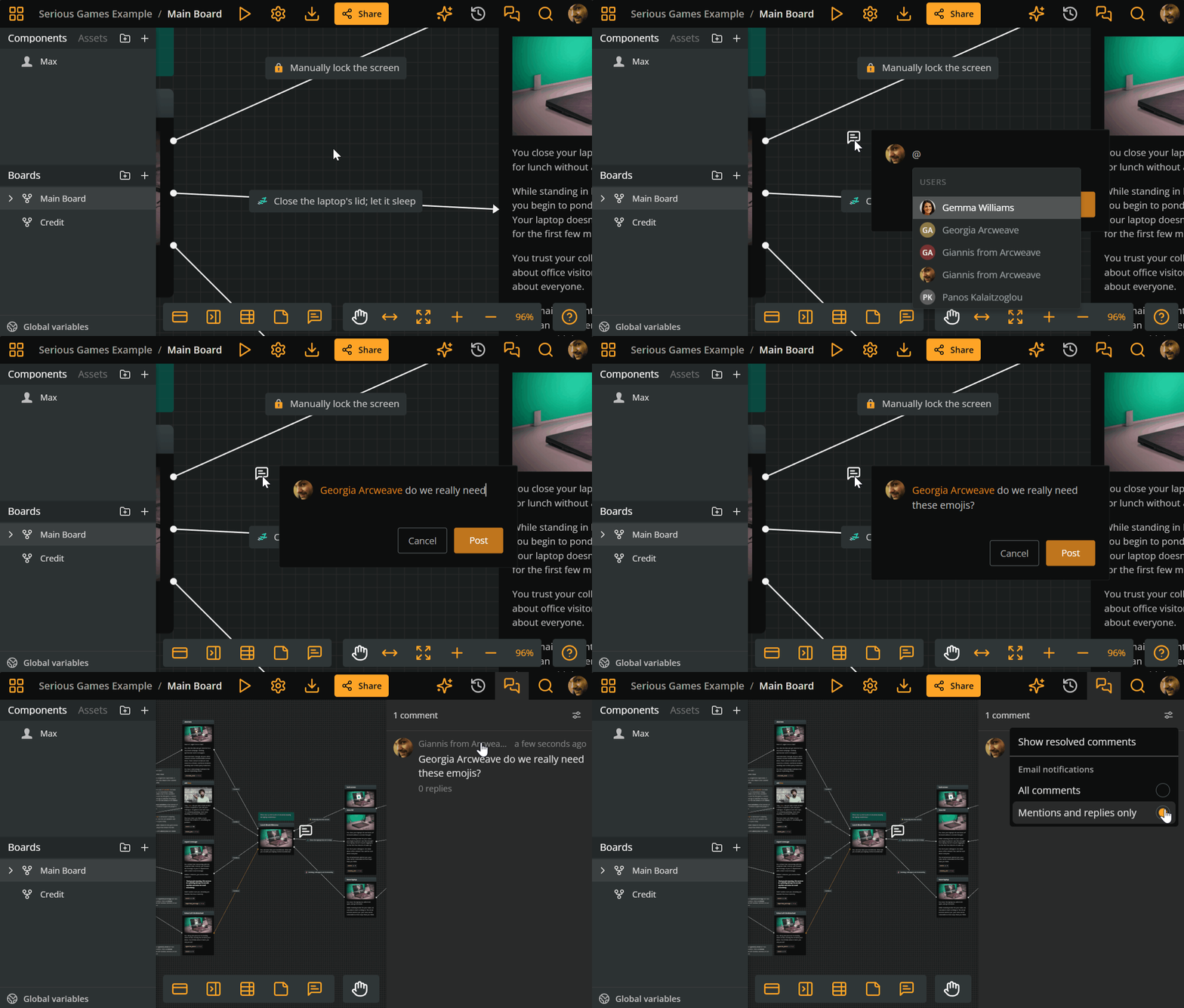
@-Mentions in Comments

@-Mentions in Comments

Good collaboration isn’t about more notifications. It’s about getting the right information to the right people.

Now, @-mentions in Arcweave comments make this easier. Tag team members or external stakeholders to bring them into the conversation exactly when needed, without alerting the whole team.

This keeps discussions focused, feedback actionable, and teams aligned as projects grow in scope and complexity.

Jan 14, 2026

New features

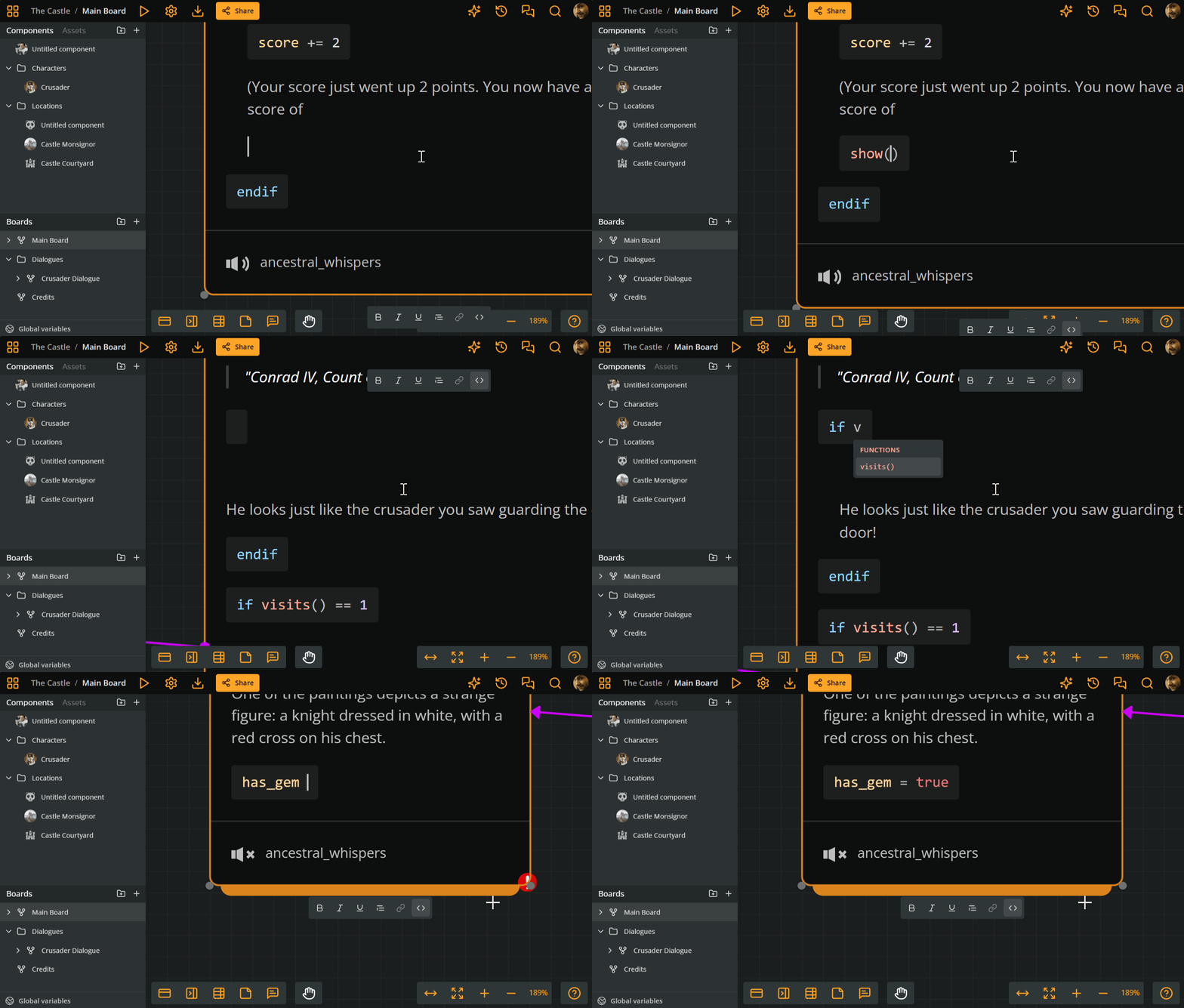
Auto-complete for Arcscript

Auto-complete for Arcscript

Writing code inside Arcweave just got smoother. While typing in an arcscript segment or branch, Arcweave will offer auto-complete suggestions, to speed up your workflow and reduce syntax friction. These include:

  • Variable names

  • Functions

  • Operators

  • Literals

Use the arrow keys to select the relevant suggestion and press Enter to auto-complete it in your code.

Nov 17, 2025

News and Updates

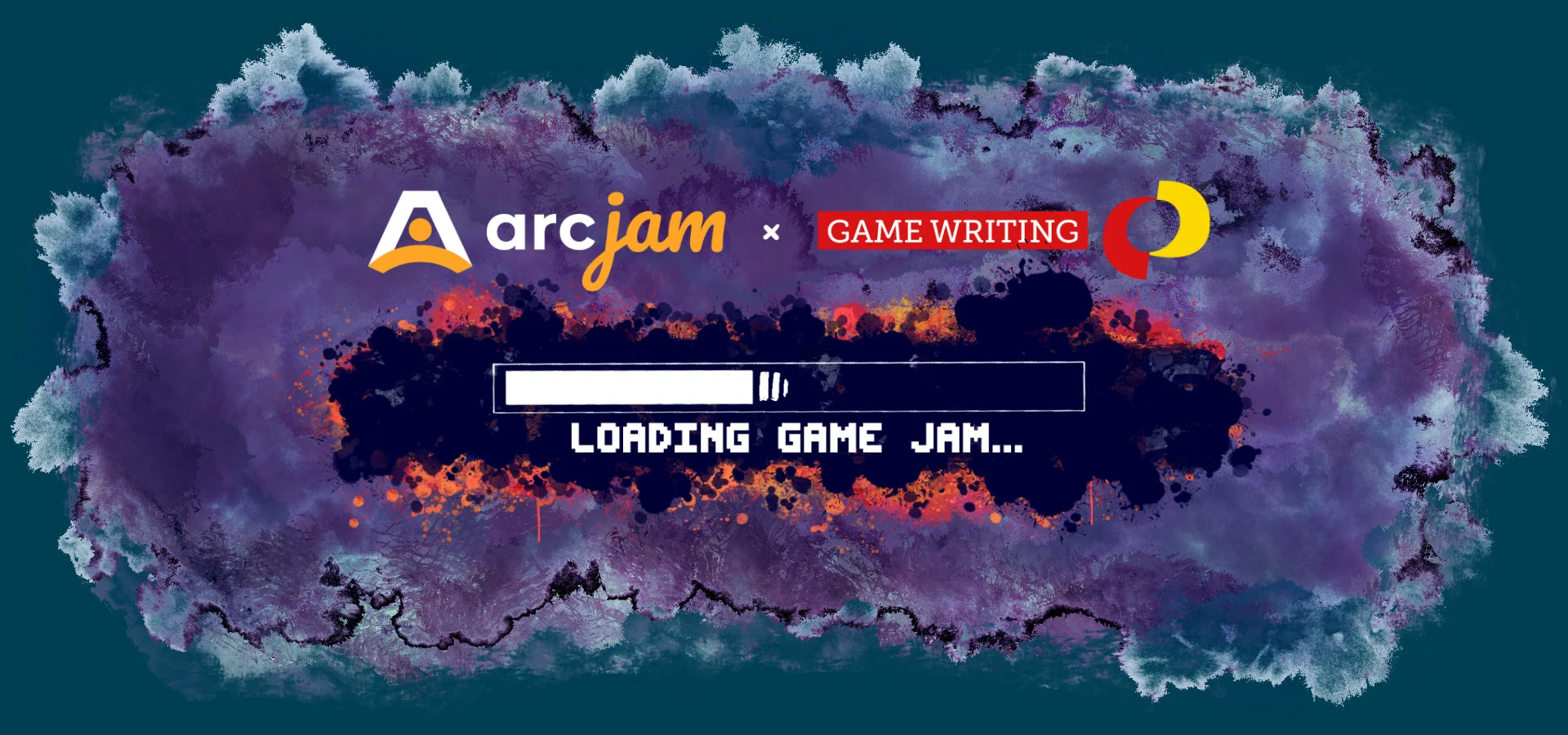
Join the online 72-hour Game Writing SIG Arcjam, 21-24 November

Join the online 72-hour Game Writing SIG Arcjam, 21-24 November

Get ready for a fun weekend of creativity, collaboration, and interactive storytelling!

Cohosted by the IGDA Game Writing SIG and Arcweave, this 72-hour online jam invites writers, narrative designers, and interactive storytellers to create compelling, story-driven games using Arcweave.

The Game Writing SIG Arcjam is a 3-day, online game jam dedicated to the craft of interactive writing and narrative design. From Friday to Sunday, participants around the world will collaborate (or go solo) to create a playable story experience entirely within the Arcweave environment.

The jam is designed to empower writers and narrative designers to create new, original portfolio pieces and strengthen the game writing community. It's an inclusive, skill-building, creativity-fueled, and 100% community-driven event, where experimentation and collaboration take center stage.

🗓️ Jam dates: November 21–24, 2025 (72 hours)
🗳️ Results announced: December 8, 2025
🌍 Location: Online
💬 Hosted by: IGDA Game Writing SIG & Arcweave
💡 How to submit: Build in Arcweave and submit via itch.io

Nov 16, 2025

New features

Play Mode: embed on your webpage and itch.io

Arcweave's Play Mode can now be embedded directly into any webpage. A simple HTML snippet is all you need. What this means:

  • You can place a fully playable version of your interactive project on your website, blog, portfolio, or documentation.

  • Readers and players can interact with your narrative immediately, without being redirected elsewhere.

  • Once embedded, it stays in sync with your project: updates in Arcweave are reflected automatically.

This is one of the most requested sharing features from our community, and it's now available for all Arcweave users! Let your interactive work live directly where your audience is. 😎

Oct 23, 2025

New features

New keyboard shortcuts for element creation and navigation

New keyboard shortcuts for element creation and navigation

Creating and navigating your projects in Arcweave is now faster and more intuitive thanks to enhanced keyboard shortcuts. You can add new elements, switch between editing modes, and move around your board without constantly reaching for your mouse.

Discover how these tools can speed up your creative process and keep your workflow simpler. Read our docs or click the question mark (?) at the bottom right of your project and open Shortcuts.

Oct 20, 2025

New features

Simpler Asset Uploads with Drag and Drop

Simpler Asset Uploads with Drag and Drop

We’ve added a new, more direct way to upload assets in Arcweave. You can now drag files from your file explorer straight into the app. This improvement simplifies the process of adding visuals to your boards, reducing extra steps and making asset management more efficient.

Sep 25, 2025

Upcoming Features

Localization is now on waiting list

Localization is now on waiting list

Localization beta is unlocked

For a limited time, we're opening beta access to all users, giving you the chance to join the waiting list one of our most-requested features: Localization. After the beta, it'll become part of the Team plan. Get ready to:

  • Translate your project collaboratively and efficiently

  • Let players choose their preferred language in Play Mode

  • Export localized content per language directly to JSON

The waiting list for this feature is now open! Fill out the form to reserve your spot to be among the first to try it in the beta.

Ready to create amazing interactive stories?

Join thousands of game developers who have transformed their narrative design process.